The Google Pixel Watch 3 and the Galaxy Watch8 lineup sit at the top of the Wear OS market, yet they chase different buyers. Google's 41mm and 45mm series leans on readiness metrics, standalone Google Maps, and a rounded glass profile. Samsung's lineup from the Samsung brand's design language favors a thinner chassis, a brighter panel, and a broader health dashboard. This guide is built to be saved and revisited: it breaks down the real trade-offs in battery, sensors, sizing, and ecosystem fit so the choice becomes a checklist rather than a guess.
| Feature & Selling Point |
Google Pixel Watch 3 |
Samsung Galaxy Watch8 |
| Case Sizes |
41mm and 45mm |
40mm and 44mm |
| Display Technology |
Actua AMOLED, 2,000-nit peak |
Super AMOLED, 3,000-nit peak |
| Case Material |
100\% recycled aluminum |
Armor Aluminum |
| Processor |
Exynos 9110 (dual-core) |
Exynos W1000 (5nm) |
| Battery Capacity |
306mAh (41mm) / 420mAh (45mm) |
325mAh (40mm) / 435mAh (44mm) |
| Charging Speed |
Up to 50\% in about 30 minutes |
Full charge in roughly 60-70 minutes |
| Water Resistance |
5 ATM plus IP68 |
5 ATM plus IP68 |
| Health Sensors |
Heart rate, SpO2, skin temperature, ECG |
Heart rate, SpO2, skin temperature, ECG, BioActive suite |
| New Health Metric |
Loss of Pulse Detection and Readiness Score |
Energy Score and Antioxidant Index |
| Fitness Coaching |
Daily Readiness, Cardio Load, target heart-rate zones |
Running Coach, Sleep Coaching, personalized HR zones |
| Offline Maps |
Google Maps built-in, offline support |
Requires paired Galaxy phone |
| Voice Assistant |
Google Assistant and Gemini |
Samsung Bixby and Google Assistant |
| Phone Compatibility |
Android 10 or higher (no iOS) |
Android 10, 1.5GB RAM or higher (no iOS) |
| Thickness |
12.3mm (slimmer on 41mm) |
8.6mm (thinnest Galaxy Watch) |
| Best For |
Google ecosystem users, runners, map lovers |
Samsung phone owners, health data enthusiasts |
The table makes the central split obvious: the Galaxy Watch8 wins on display brightness, processor architecture, and chassis thinness, while the Pixel Watch 3 answers with faster charging, deeper Google Maps integration, and a readiness-focused training model. Neither watch is compromised; each simply prioritizes a different set of decisions.
Difference in Chassis and Wearing Feel
A watch is worn before it is used, and the Pixel Watch 3 makes its presence known through a domed glass profile that wraps into a rounded aluminum case. The larger 45mm variant fills the wrist, while the 41mm model reads as a compact jewelry piece. The glass dome does have a practical cost: on some wrists the curvature catches cuffs and the sensor array forces a slightly higher riding position. The Galaxy Watch8 takes the opposite route.
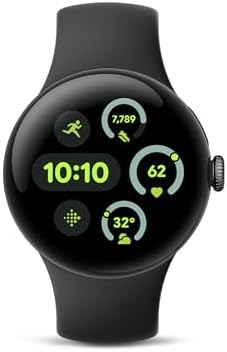
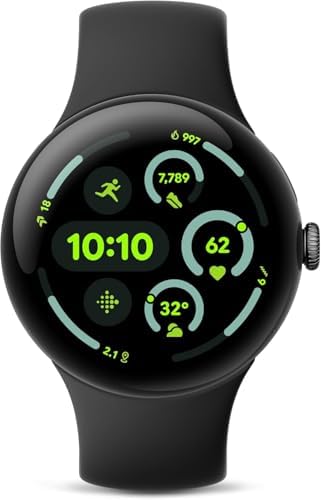
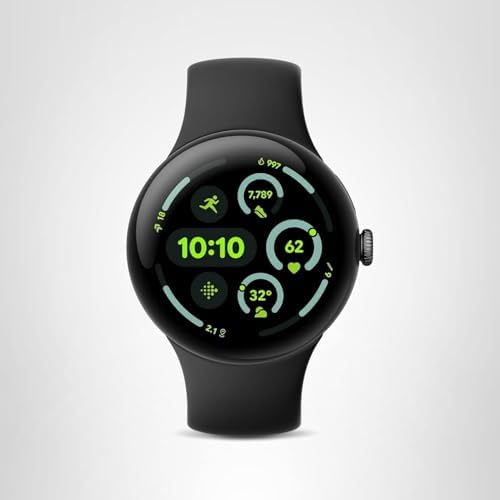
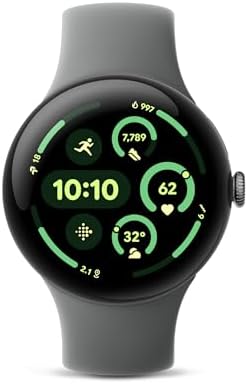
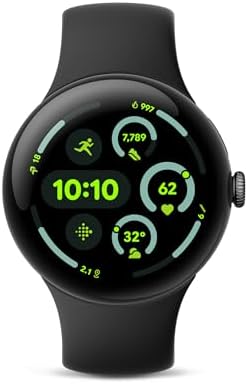
Samsung's cushion case has been pulled down to a notably thin profile, and the brand states the Galaxy Watch8 is roughly 11\% thinner than the Galaxy Watch7. That thinner build slides under a shirt cuff with almost no interference. The 40mm model suits smaller wrists comfortably, and the 44mm version keeps a stable footprint during running. Buyers who demand the flattest possible case on the wrist will lean toward the Galaxy Watch8, while those who prefer the classic round watch silhouette generally favor the Pixel Watch 3. On the larger Pixel, the Google Pixel Watch 3 (45mm) in Matte Black translates that rounded case into a more assertive, tool-like daily carry.
Display and On-Wrist Readability
The Pixel Watch 3 uses an Actua AMOLED panel rated at around 2,000 nits, and it automatically dims to a low setting for sleep tracking. That brightness is genuinely sufficient in midday sun, though highlights on maps and dashboards can wash out on very bright days. Samsung answers with a Super AMOLED panel rated at 3,000 nits peak.
On open water, snow, or a bright sidewalk, that extra ceiling is visible: the Galaxy Watch8 keeps content readable at angles where the Pixel watch dims noticeably. Neither display shows visible lag in scrolling, and both run the Wear OS app model comfortably. The Pixel watch does offer a slightly cleaner visual language in its tile design, which matters for anyone who spends more time glancing than tapping. Screen choice is essentially a proxy for use case: outdoor workouts favor the Samsung panel, while everyday glanceability sits comfortably in both camps.
Performance and Platform Choices
Under the case, the Galaxy Watch8 runs on Samsung's Exynos W1000 built on a 5nm process. In practice, that means faster app launches, snappier navigation through Rich Text Tiles, and smoother rendering across multiple widgets. The Pixel Watch 3 relies on a dual-core Exynos 9110 that is older by comparison. Menus and notifications are responsive, but heavy multitasking and rich third-party tiles can feel one step behind Samsung's silicon.
Both watches operate on Wear OS, which means the same Play Store catalog and the same base experience. The difference is the skin above it: Google keeps Material You close to the core, while Samsung layers One UI Watch over the top with rounded widgets and tighter Galaxy phone integration. On the software side, Google has moved deliberately into running and readiness metrics, while Samsung states that its Energy Score derives from sleep, heart rate variability, and activity patterns.
Health and Fitness Tracking
Both watches monitor heart rate, blood oxygen, skin temperature, and ECG. Where they diverge is in the interpretation layer, and this is a useful decision axis because coaches and analytics become a daily habit. The Pixel Watch 3 introduces a Readiness Score built from heart-rate variability, resting heart rate, and recent sleep. It also supports cardio load and target load ranges, which makes the watch useful for structured training blocks rather than just step counting.
The Galaxy Watch8 adds its Energy Score, running coach with real-time form feedback, and an Antioxidant Index measured optically. Samsung's platform stretches wider into lifestyle tracking and connects into Samsung Health's broader data ecosystem. Frequent runners who follow training plans often prefer the straightforward readiness model of Google; users who want a large health dashboard and connected home experiences often find the Samsung approach more expansive.
Battery, Charging and Real-World Runtime
Runtime depends heavily on screen size and usage. The Pixel Watch 3 ships with a 306mAh cell in the 41mm and a 420mAh cell in the 45mm case, and Google quotes an always-on-display battery life that lands somewhere around one full day for most users. The Galaxy Watch8 uses slightly larger cells at each corresponding screen size, but its brighter display and higher-resolution rendering balance out the capacity gain.
The practical separator is charging. The Pixel watch tops up fast and can reach around 50\% in roughly half an hour, which is useful for a quick pre-dinner top-up. The Galaxy Watch8 requires longer at the charger, meaning a more deliberate routine is needed. Anyone who dislikes overnight charging should pay close attention to this point, because fast top-ups change the entire ownership pattern.
Software, Apps and Satellite Features
Google gives the Pixel Watch 3 native Google Maps, Assistant, Wallet, and Find My Device integration, and the circular interface is built around those services. Navigation on the wrist feels more coherent on the Google device, especially with turn-by-turn directions that can be followed without reaching for a phone. For anyone who uses Gemini or Assistant regularly, the platform feels native rather than adapted.
Samsung counters with Bixby and Assistant, Samsung Wallet, SmartThings controls, and deeper linkage to Galaxy phones. Owners of a Galaxy phone get features like camera control and call handoff, and the Samsung Galaxy Watch 8 (2025) 40mm Graphite Bluetooth brings that ecosystem into a compact-wrist case with a slimmer silhouette than most competitors. A buyer locked into Samsung's ecosystem gets more total value from that pairing, while someone anchored in Google's services gets more from the Pixel Watch 3.
Fitness Sessions and Outdoor Use
The GPS story matters most on the move. The Pixel Watch 3 does not need a paired phone for location, so runners can leave the handset at home and still see route and pace on the wrist. Now consider the alternative.
The Galaxy Watch8 relies more on the paired Galaxy phone for full navigation. That is not a deal-breaker for commuters, but for multi-hour trail sessions the standalone capability of the Pixel Watch 3 is simpler to live with. Both watches share 5 ATM plus IP68 ratings, so pool laps and rainy commutes are within scope; neither is a dive computer.
Buying Criteria: Who Should Pick Which
The decision narrows to three practical questions. The first is ecosystem. A Galaxy phone owner gains more from Samsung's interconnected suite, while anyone dependent on Google services, maps, and Assistant benefits from the Google hardware. The second is size and wrist feel: a very thin case favors the cushion-shaped Galaxy watch, and the classic domed-round look favors the Pixel.
The third is training style. Structured runners who follow readiness and cardio load will find Google's metrics easier to act on, while people who enjoy a wider health dashboard and Samsung Health's ecosystem often prefer the Galaxy Watch8. Consider the Google brand's navigation-first approach if travel and mapping are weekly concerns, and consider the Samsung route if thinness and faster silicon matter more than charging speed.
Which Watch Earns a Place on the Wrist
These two smartwatches are not competing on a single scoreboard. The Pixel Watch 3 is built around actionable thresholds: readiness, cardio load, standalone mapping, and rapid top-ups that fit a busy day. The Galaxy Watch8 is built around breadth: a thinner case, a brighter display, faster-answering silicon, and a health dashboard that rewards regular browsing in the Samsung Health app. Buyers should pick the watch whose constraints they can tolerate, because both satisfy the core job of notifications, fitness tracking, and contactless payments. Revisit this comparison before purchase, test a demo unit for case thickness on your wrist, and then let ecosystem and mobility requirements make the final call.
 Just Pick Your Favorite Stylish Watch online












Item Reviews