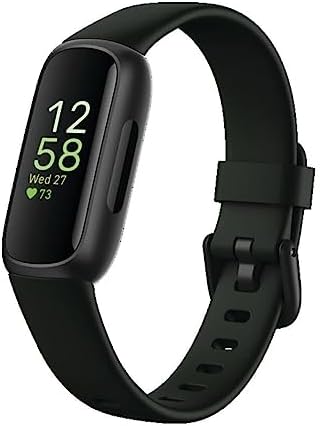
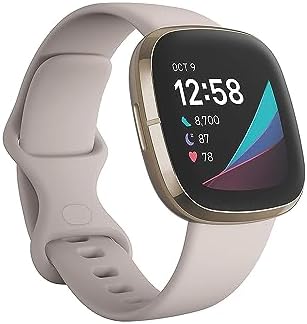
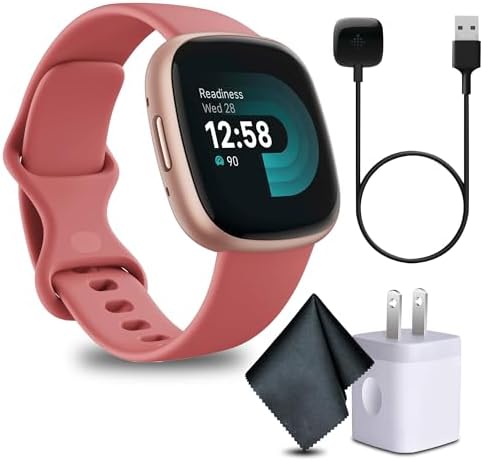
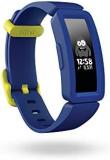
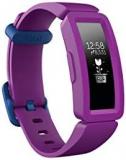
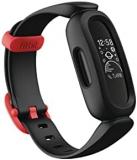
The Google Fitbit Air arrives with a slim case offered in 41 mm and 45 mm sizes, a detail that matters more in the pool than on dry land. A tracker that sits close to the wrist creates less drag through the water and keeps optical sensors steadier during flip turns. This guide works through what the device offers around water, how lap data is actually generated, and which habits turn a session in the lanes into numbers worth reviewing afterwards.
Water Resistance and What 50 Metres Really Means
Fitbit’s support documentation rates its water-resistant models to 50 metres, and the company describes these devices as suitable for swimming and showering. That figure describes static pressure tolerance rather than a diving depth, so recreational lap work, water aerobics, and casual pool play all sit comfortably inside the intended envelope. The Fitbit brand’s approach to water sealing has stayed consistent across several generations, which means the Air inherits a mature hardware standard rather than a first attempt at water handling.
Case size plays a quieter role in water behaviour than the rating does. The 41 mm option suits slimmer wrists, while the 45 mm version gives larger wrists a flatter, more stable platform. Neither is inherently better in the pool, but a case that genuinely matches the wrist keeps the sensor module from rocking during stroke cycles, and that stability feeds directly into how consistent the recorded data turns out to be.
How the Air Counts Laps and Strokes
Swim tracking on Fitbit hardware relies on accelerometer data rather than a pool-mounted timing system. The device reads motion signatures to estimate laps and identify stroke type, and the accuracy of that estimate depends heavily on two inputs the swimmer controls: an explicitly started swim session and a correctly entered pool length. Fitbit’s help pages reference common distances such as 25 metres and 50 metres, showing how stroke counts scale against real lap lengths.
Starting the session before the first push off is the single most important habit. Wearing the tracker without an active swim session still registers general movement, but the dedicated workout record is what captures lap splits, pace, and stroke classification. A short checklist covers most of what matters:
- Start the session first: select swim from the exercise list before entering the water.
- Set pool length: enter the real distance, typically 25 or 50 metres.
- Wear it snug: a close fit keeps motion and optical sensors stable.
- Sync afterwards: review stroke type, laps, and pace once dry.
If swim data appears to stall, Fitbit support describes a straightforward restart routine that involves connecting the charging cable, placing the device on the charger, and selecting the restart option in the settings app. That step resolves most recording glitches before any hardware explanation becomes necessary.
Band Choice and Its Effect on Sensor Stability
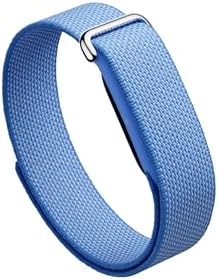
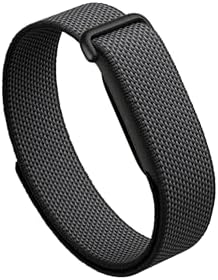
Comfort in the water is not a cosmetic concern, because a strap that shifts during a flip turn returns unreliable lap estimates. The Performance Loop Band is listed by Google as a micro-adjustable strap built from polyester, nylon, and elastane yarn, designed for workout use and made specifically for the Fitbit Air. A micro-adjustable closure removes the compromise of fixed-hole arrangements, letting the tracker stay flat against the wrist through repeated stroke cycles.
For the Obsidian finish, the Obsidian Performance Loop Band pairs this water-friendly construction with a darker strap that hides chlorine marks between washes. A second option supports rotation between sessions, and swimmers who prefer a lighter finish can consider the Lavender Performance Loop Band, which carries the same sporty build in a softer colourway. Both share the micro-adjustable fit that keeps the sensor module pressed evenly against the wrist, and a third variant in the same family, the micro-adjustable Lavender strap, offers an alternative listing of the same design for swimmers comparing stock options.
Reading Swim Data Without Overreacting to It
Wrist-based swim data is an estimate, and treating it as a precise stopwatch invites frustration. A crowded lane, a strong dolphin kick off the wall, or a pull buoy set can all nudge the numbers. The more useful approach is to watch trends across sessions: whether lap counts are rising, whether pace figures improve across comparable sets, and whether stroke type is identified consistently. Those patterns stay meaningful even when a single session looks slightly off.
Reviewing sessions in the app surfaces details that are hard to perceive while breathing hard in lane three. The split between the first and second half of a workout often says more than total distance, particularly for swimmers preparing for events. Because pool work is recorded as its own activity type, it does not distort everyday step counts or training load figures. A quiet pre-swim habit, checking that the strap sits flush, the session is started, and the pool length is entered, prevents most of the confusion that would otherwise send swimmers hunting for explanations.
Where the Air Sits Against Bigger Swim Watches
The Air’s positioning is about daily wearability as much as pool function. Dedicated swim watches often carry chunky bezels and multi-button layouts, bringing features such as open-water navigation and barometric altitude that matter to triathletes but add clutter for people who swim a few times a week and wear the device to the office on other days. The Air takes the other path: a streamlined case in 41 mm and 45 mm, a 50-metre water resistance rating, and a profile designed to sit quietly under a shirt cuff.
The division also matters when choosing accessories. A band built for workouts and rated for everyday handling complements a case this light, and Fitbit’s wider ecosystem, which includes swimproof devices across multiple generations, means troubleshooting knowledge is easy to find. The brand’s own help resources openly discuss pool-length entry and device restarts, which keeps self-service reasonably straightforward before a repair enquiry ever becomes necessary.
Training Ideas That Make the Data Worth Collecting
A swimmer who wants useful numbers from the Fitbit Air should give the sensor something consistent to measure, and that starts with structure. Alternating main sets of steady 100-metre repeats with shorter, pace-focused 50-metre efforts produces contrasting pace profiles in post-swim review, revealing fatigue build-up that would otherwise go unnoticed. Mixing freestyle, backstroke, and drill sets also feeds the stroke-identification logic more useful material than forty minutes of unbroken crawl.
Between intervals, checking stroke count per length in the app provides a practical signal. A rising stroke count at a constant pace often indicates form deteriorating ahead of fatigue, which is exactly the kind of observation a coach would charge for. The role of the watch is simply to make each session reviewable, and the discipline of a snug fit plus an honest pool length does most of the work.
The Google Fitbit Air earns its place through thoughtful compromise rather than specialty ambition. It standardises water resistance at 50 metres, offers two case sizes for better wrist fit, supports lap entry in the app, and pairs with loop bands built for movement. Combined with disciplined session habits, it turns each pool visit into structured, reviewable data, making lap swimming a measurable part of the training week without turning the process into an engineering assignment.