The Fitbit Air arrives as a screenless wearable, a form factor that removes the display entirely and shifts every glance, notification, and metric to a paired phone. Instead of asking for wrist time, it is designed to disappear into a day: a small band worn on the wrist that gathers sleep stages, heart rate, and activity data while offering nothing to tap, swipe, or stare at. That single design decision shapes everything about the device, from how it is worn to how its data is read, and it is the first thing any honest Fitbit Air review has to confront.
The premise is deliberate. Google positions the Fitbit Air as an effortless wellness tool rather than a miniature smartphone, and the official product language describes a screenless device built for day-by-day health tracking. For anyone weighing a tracker that demands attention against one that quietly absorbs into routine, the distinction matters more than any spec sheet. This review works through what the device is, how it wears, what the software side looks like, and who should consider it.
What the Fitbit Air Is and How It Is Positioned
The Fitbit Air sits at the minimal end of the wearable spectrum. Where most modern fitness trackers compete on display size, brightness, and on-wrist apps, this model carries no screen at all. The device reads as a slim band with sensors on the inner surface and a soft loop around the wrist, and the absence of glass and bezel keeps the profile low and unobtrusive for sleeping, working, and training.
That positioning matters because it reframes the product category. A tracker without a screen cannot notify, cannot show a workout in progress, and cannot be checked mid-run for pace. Instead, the value proposition rests on passive collection: the device records continuously in the background and surfaces insight later through software. Anyone expecting a wrist computer should look elsewhere; anyone tired of charging a bright rectangle every night is the intended audience.
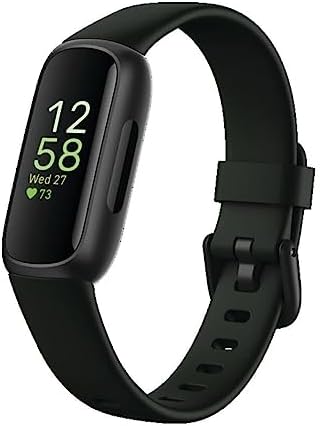
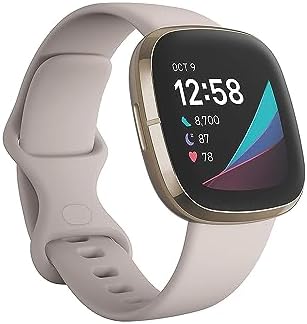
The Fitbit Air also lives inside the wider Fitbit brand’s ecosystem, which spans fitness bands, smartwatches, and connected scales. Buying into the platform means buying into a shared app experience, and the hardware choices across the line share a common data language. The screenless model is the quietest entry point into that world, and understanding the surrounding catalogue helps clarify where it fits.
Design, Fit, and All-Day Wearability
Comfort is the entire product strategy here, and the hardware has to earn it. The Fitbit Air wears as a slim, screen-free band, and without a heavy case or a protruding display it sits closer to the wrist than most trackers. Sleeping with a wearable is where most designs fail, and a device that stops being noticeable on the wrist stands a far better chance of staying on through the night, which is exactly when sleep data is collected.
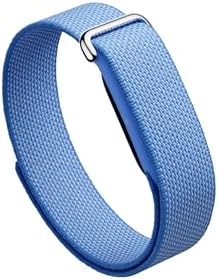
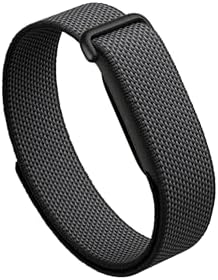
The band system deserves attention. Fitbit offers a dedicated performance loop band built specifically for this model, made from a blend of polyester, nylon, and elastane yarn. The material choice points toward breathability and stretch, and the micro-adjustable closure allows fine fitting without the ladder of holes found on conventional straps. For workouts where wrist swelling shifts through the session, small fit adjustments are not a luxury.
Because the band is a wearable component rather than an accessory afterthought, swapping it is part of owning the device. The stretch construction of the Google Fitbit Air Performance Loop Band in Obsidian keeps the sensor stable during movement, and the workout-friendly yarn blend carries over to a lavender finish for anyone who prefers a softer palette under a sleeve. Fit is the same story across both: the loop tightens in small increments, holds the optical sensor against the skin, and avoids the pressure points that a buckle strap can create during long sessions. Neither variant changes the data, but each changes how willingly the device stays on a wrist for weeks.
Water resistance rounds out the wearability picture. Fitbit states that most of its devices are water-resistant to 50 meters and designed to be swimproof, and the platform’s manual documentation confirms these ratings device by device. For a screenless tracker, that durability is essential rather than optional: a band worn through showers, gym sessions, and rainy commutes has to tolerate moisture without being removed.
The Software Side: Google Health and Data Review
Strip away the screen and the software becomes the entire interface. Google’s health platform organizes data into four main areas, labeled Today, Fitness, Sleep, and Health, and the companion app is where every Fitbit Air metric is actually read. That structure is deliberate: the device collects, the phone interprets, and the daily view aggregates the result.
The separation has real consequences. A screenless tracker cannot prompt you mid-workout, so habits must be anchored around the app rather than the wrist. Morning review becomes the natural rhythm, since overnight sleep data is the richest signal the device produces. That cadence suits anyone who already checks a phone with coffee rather than someone who wants real-time pacing feedback during intervals.
What the Passive Data Stream Delivers
Sleep is the standout use case. A band with no display can be worn through the night without lighting up a dark room, and the software presents staged sleep data with day-by-day goals rather than a single score. For users chasing a consistent bedtime, that framing is more actionable than a monthly average.
Daytime tracking then builds a picture of movement, heart rate, and recovery over weeks. The screens fall almost entirely against the device: no glanceable metrics, no wrist-based alarms, no notifications. In exchange, the experience is uncluttered, and the focus moves from numbers in the moment to patterns over time. That trade-off is the central verdict of any serious Fitbit Air review.
Where the Screenless Concept Succeeds and Where It Does Not
The strengths are easy to summarize. Battery anxiety drops because there is no bright display to drain each evening. Sleep tracking improves because nothing glows on the wrist at midnight. Social friction disappears, since a device without notifications cannot interrupt a conversation or a meeting. For a wellness-first user, this combination is quietly compelling.
The limitations are equally concrete:
- No real-time feedback: pace, heart-rate zones, and workout duration must be checked on a phone.
- No standalone timekeeping: this is a tracker, not a watch, and it cannot replace a timepiece.
- Phone dependency: every interaction, tap, and settings change routes through the app.
- No NFC or smart features: contactless payments and on-wrist alerts are simply outside the design brief.
Those are not flaws so much as the price of the concept. The device is best understood as a sensor platform on a band rather than a wrist device that happens to track. Judged on that basis, the Fitbit Air does what it promises: it collects quietly, and the software does the talking.
Who Should Choose the Fitbit Air
The right buyer is someone whose priority is consistent overnight and all-day data rather than a wearable screen. If sleeping with a tracker is a struggle, if workout notifications feel like noise, or if the goal is simply to see how sleep, movement, and heart rate trend across weeks, this model fits naturally into that routine. The minimal band design and the performance loop band construction both support long-term, low-friction wear.
Band choice is part of that routine. The Google Fitbit Air Performance Loop Band in Lavender brings the same micro-adjustable fit in a softer tone, while the Google Fitbit Air Performance Loop Band Lavender Micro-Adjustable offers a second lavender option for anyone who wants a spare band for training days. Neither changes the sensor package, but both make the daily wear decision easier.
The wrong buyer wants training tools on the wrist, a glanceable clock, contactless payments, or message previews. Those needs belong to a smartwatch, and forcing them onto a screenless tracker is a category mismatch rather than a product failure. The recommendation is to match the device to the habit you already have, not the habit you intend to build.
Viewed at the platform level, the Fitbit Air signals a broader idea about wearable design. Instead of adding capability, it removes friction, trusting software and the phone to carry the interaction. For the right user, that restraint reads as considerate: a small, quiet band that keeps gathering the numbers worth knowing, then hands them back when there is time to look.